In the Windows Explorer you can enable the left-hand task pane to
provide quick access to several different operations that can be
performed against a file or folder.
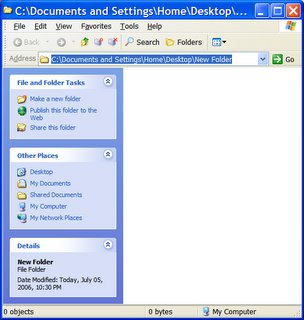
This feature can sometimes be disabled, so if you want to enable it you need to follow the instructions below:
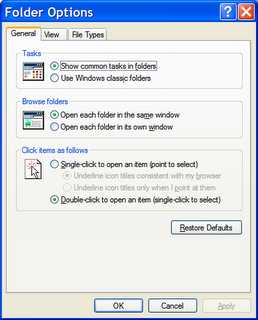
This feature can sometimes be disabled, so if you want to enable it you need to follow the instructions below:
- Open Windows Explorer
- From the Tools menu select 'Folder Options...'
- Click the General tab.
- Click the 'Show common tasks in folders.' radio button.
- Press the OK button.

No comments:
Post a Comment